
Never show a blank ad slot again
Every network passes on some requests, including ours. With a fallback, a banner PurpleAds could not fill goes to the network you already run, sized to the slot, on the same page view. You add demand without giving anything up.
Adding a network should only ever add
The reason most publishers stop at one network is not that a second one would earn nothing. It is the fear that it would take a slot and leave it empty.
That fear is fair. A network that fills 70% of your requests and has no fallback costs you the other 30%, and an empty rectangle in the middle of an article is worse than the AdSense ad that used to be there. So the slot stays with the network you trust, and every impression it passes on still earns nothing.
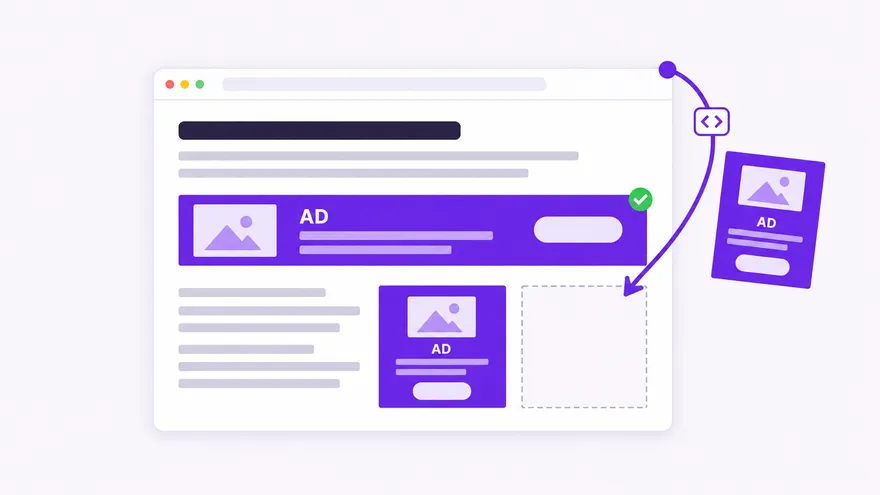
The banner fallback removes the trade. PurpleAds is asked first. If we have an ad, it serves. If we do not, or if our request does not answer within 8 seconds, your own code fills the slot instead. Your floor is exactly what you had before, and everything we fill sits on top of it.
It also works in the other direction. The same tag canfill the slots AdSense left empty, so the two networks cover each other's gaps rather than competing for the same impression.
What you set up
- Turn on Banner Fallback in the ad unit's settings.
- Paste the ad code from AdSense or any other network.
- Save. Nothing changes on your pages.
Prefer code? A one-function JavaScript callback gives you the container, the sizes that fit it and the reason the slot went unfilled. SeeFallback tags and callbacks.
What you get
Nothing you run is replaced
Your AdSense account, your Ad Manager setup and your other networks keep working. The fallback only decides what fills a banner we passed on.
Sized to the slot
We measure each container and request your fallback at the size that fits it. An AdSense unit is asked for that exact size, so it cannot push your content down.
No waiting on a slow answer
If our ad request does not answer within 8 seconds, your fallback runs instead of leaving the space empty while the visitor reads past it.
One network per slot
Once your fallback has a banner, we leave it alone for the rest of the page view. No refresh over your ad, no two networks in one container.
How a fallback slot is served
We measure the container
The banner code works out which standard sizes fit the space you gave it, the same way it picks the size of our own ad. That list is what your fallback is sized from.
We ask our demand
The request goes to PurpleAds. Most of the time an ad comes back and renders as usual. When nothing does, the slot is handed to your fallback with the size that fits.
Your network fills it
AdSense is asked for that exact size. Other networks get the width and height written into their tag. The banner is then yours until the next page load: we do not refresh it or place an ad over it.
Questions publishers ask
- What is an ad fallback?
- A second ad tag that runs only when the first one had nothing to show. Ad networks pass on requests they have no advertiser for, and without a fallback that slot renders empty. With one, the request goes to the next network instead. Some publishers manage this with a waterfall in Google Ad Manager; the PurpleAds banner fallback does it inside the ad tag, with no ad server needed.
- Can I use AdSense as the fallback?
- Yes. Paste your AdSense display unit code in the Banner Fallback setting and we request it at the size of the slot. Google's AdSense policies allow other networks on the same page, and its documentation for responsive ad code allows requesting a fixed size, which is what we do.
- Does this work for other networks?
- Any network whose ad is a tag you paste into a page. Write {width} and {height} in the code where the size goes and we fill them in for each slot. Scripts already on the page are not loaded twice.
- What does an unfilled request look like in my reporting?
- A request without an impression. The fallback ad is counted and paid by the network that served it, so your PurpleAds dashboard shows what we filled and your other network's dashboard shows the rest.
- Which ad units support it?
- The Responsive Display Banner, which is any banner you place in your own layout. The floating banner, the interstitial and the automatic sticky ads are managed by PurpleAds and do not take a fallback.