
Add PurpleAds Responsive Display Banners to your website
After adding your website to PurpleAds and verifying your website ownership, you’ll be able to implement 2 ad unit formats:
- Floating banner
- Responsive display banner
How to add responsive banner to your website
Before we begin:
- You’ll probably need to update your ads.txt in order to get better demand.
- Yes, you can add several banners to the same page
- It might take some time for ads to start showing up on your website
- Make sure your website is active on your Publisher Dashboard.
Let’s dive in
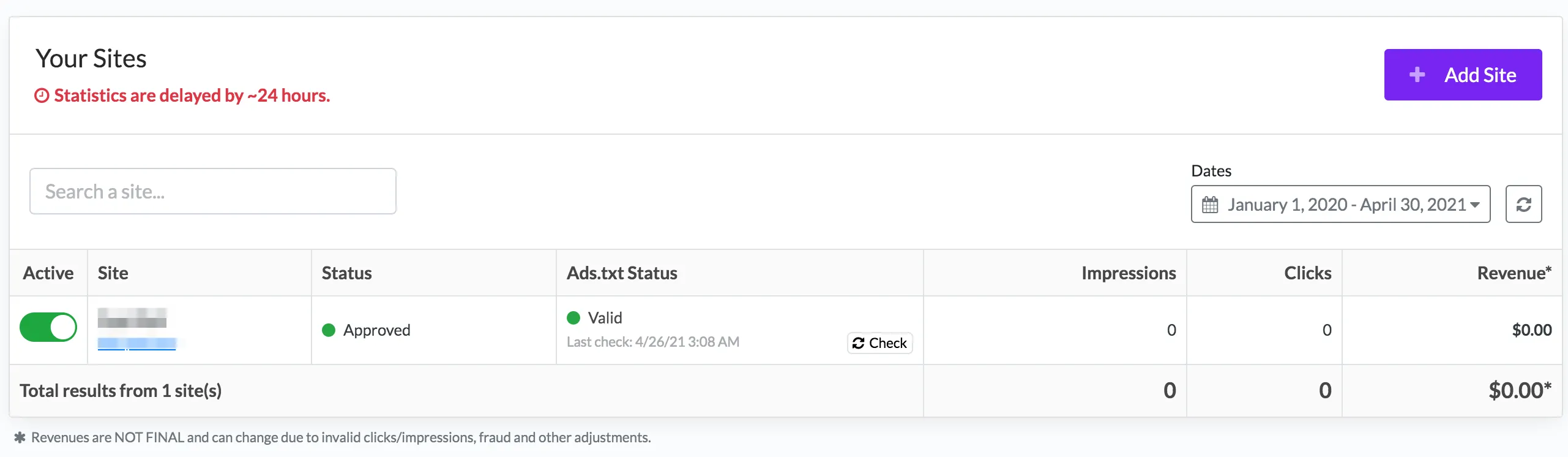
You first need to select the website you want, from the list on the main page:
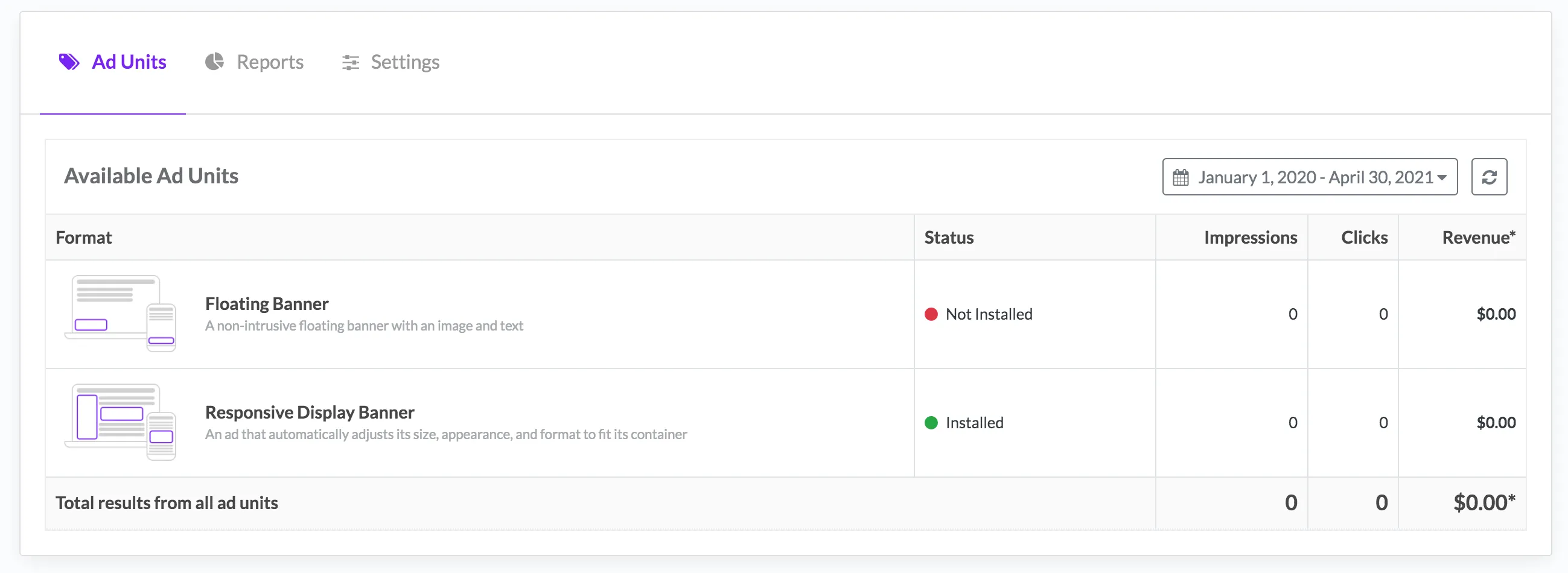
Then, select the ad unit you want to add to your website - in this case “Responsive Display Banner”.
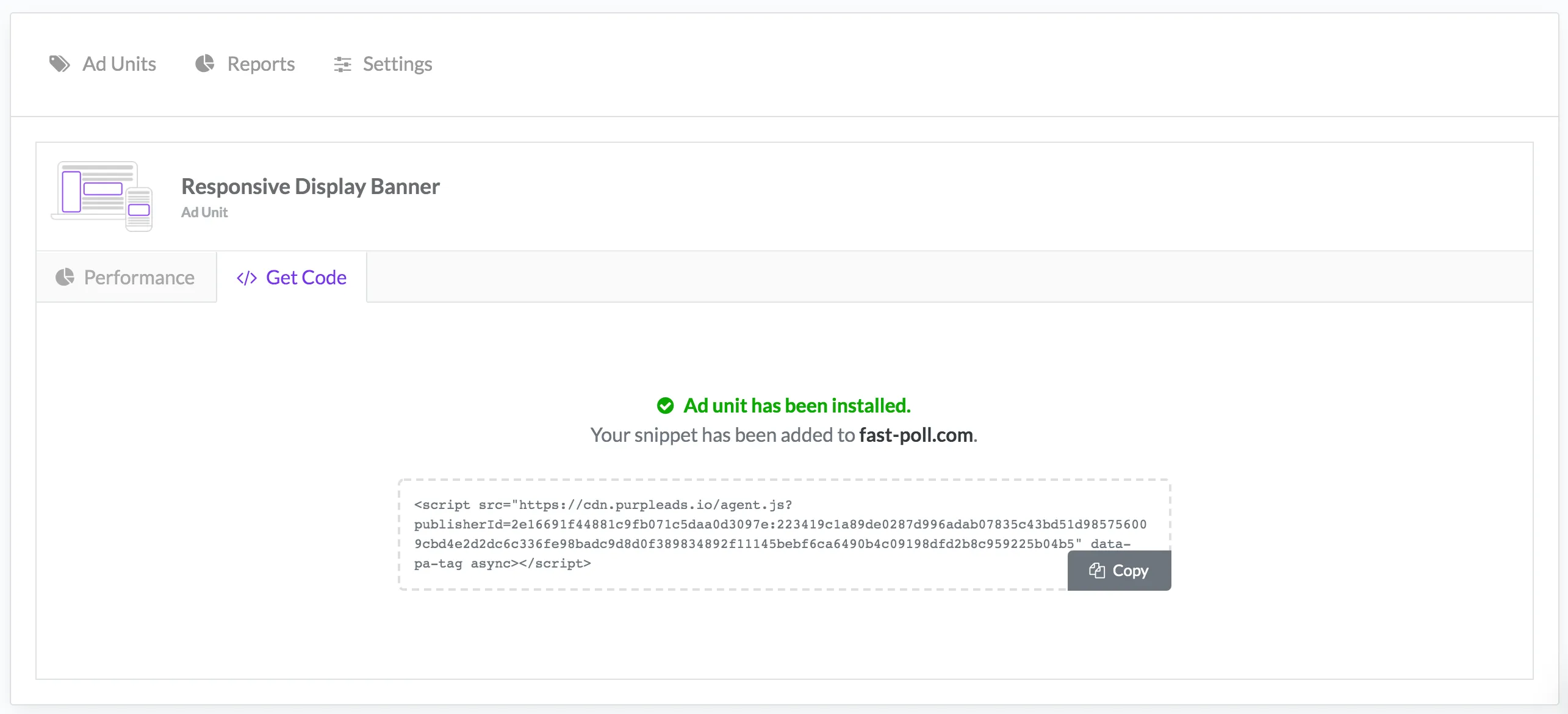
Click “Get Code” in order to get your snippet:
Now after copying the snippet, you can add it to any container in your website (between posts, side bar, bottom etc). The smart snippet will find the best sizes according to the container, and will inject the most suitable ad:
<div>
  // REPLACE WITH YOUR PURPLEADS SNIPPET
  <script src="https://cdn.purpleads..." data-pa-tag async></script>
</div>
You can limit the size by adding a class or style attribute to your container, like:
<div style="width:300px;height:250px">
  // REPLACE WITH YOUR PURPLEADS SNIPPET
  <script src="https://cdn.purpleads..." data-pa-tag async></script>
</div>
Change the 300px width and 250px height according to the maximum size you prefer, keep in mind our list of supported sizes.
Fill unfilled banners with AdSense or another network
Sometimes we have no ad for a banner. You can give us your own ad code to show there instead: turn on Banner Fallback in the ad unit’s Settings tab and paste the code from AdSense or any other network. We size it to the banner, load it once per banner per page view, and never place our own ad over it. There is also a JavaScript callback if you prefer to decide on the page.
Both options, with the rules and the code, are in Fallback tags and callbacks.
DFP / GAM (Google Ad Manager)
You can serve PurpleAds banners via Google Ad Manager creatives:
- Create an order called “PurpleAds Order”
- Create a line item called “PurpleAds Line Item” with priority of House or Network and the following sizes: 120x600, 160x600, 300x600, 300x250, 320x50, 320x100, 300x100, 200x200, 250x250, 320x480, 336x280, 468x60, 970x250, 970x90, 728x90
- Create a “Custom” creative for each size and paste the PurpleAds banner code, make sure to disable/untick the Serve into a SafeFrame option
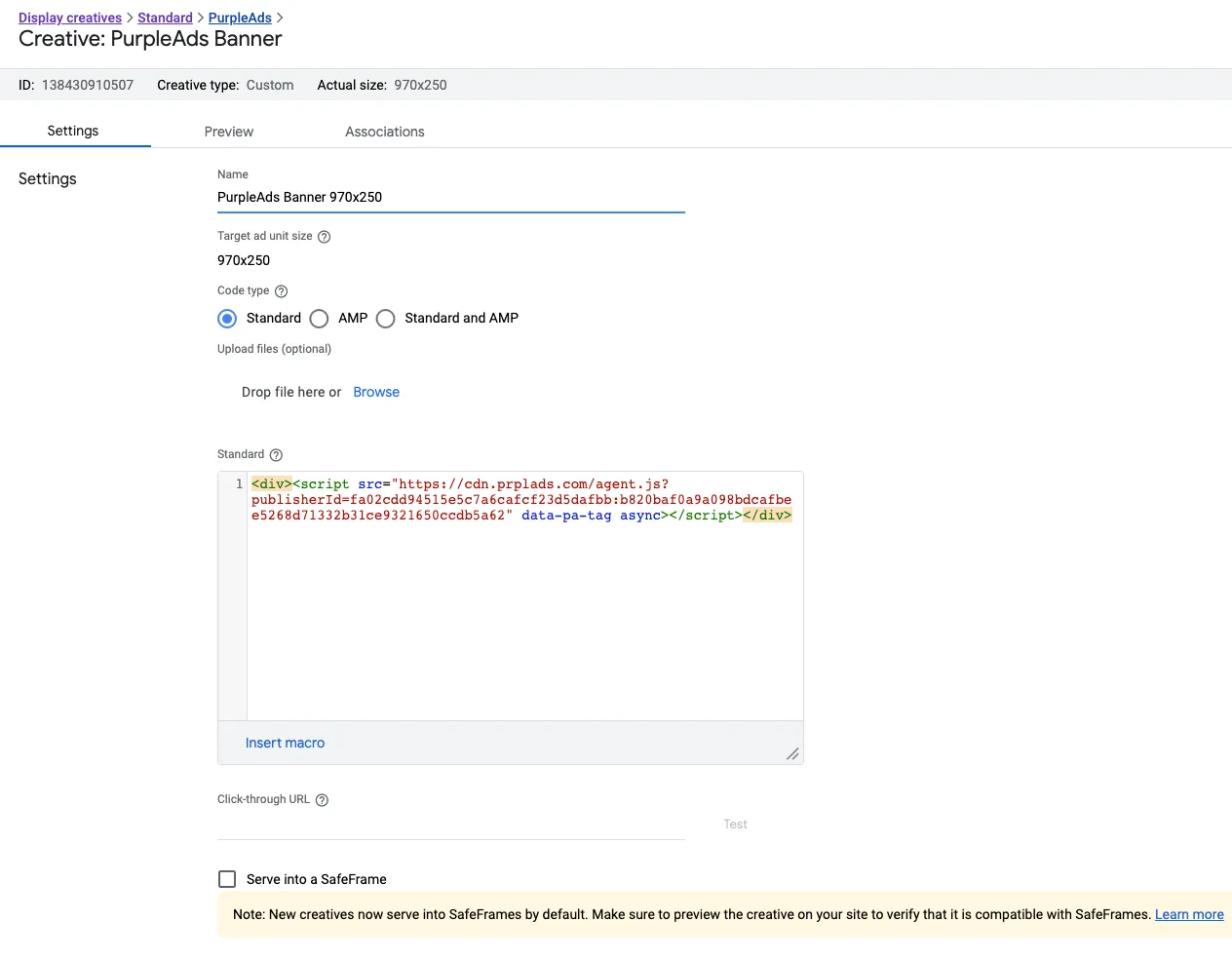
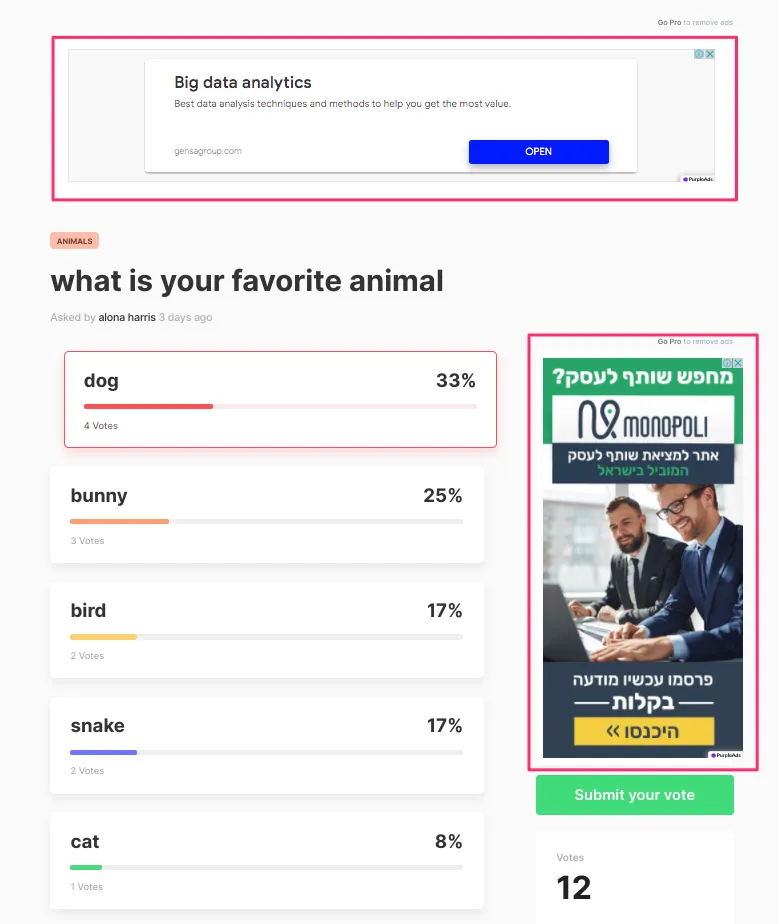
Here’s an example:
If you have any questions, do not hesitate to reach out to the support team via the live chat or email!