Every Ad Slot Needs a Fallback. Here Is How to Add One Without Replacing Your Stack
The short answer
An ad network never fills every request. When it passes on one, the slot either shows a second network’s ad or it shows nothing, and which of those happens is decided by whether you set up a fallback. Most sites have not, so the requests their network passes on earn nothing and never show up as a problem.
The rest of this post is about why that stays invisible, what a fallback actually does, and how we made adding PurpleAds to a site cost nothing on the downside.
Why unfilled requests hide
Open any network’s reporting and look at the columns. Requests, impressions, clicks, revenue. The gap between requests and impressions is the fill rate, and on most dashboards it is a percentage tucked next to numbers that look more important.
A 100% fill rate does not exist. An ad request is a question, “does anyone want to pay for this impression?”, and for some share of your visitors the answer is no. Visitors from countries with fewer advertisers. Pages on topics no campaign is targeting this week. A device or browser a buyer excluded. A quiet fortnight in the ad calendar. None of those are faults on your site. They are the shape of demand, and every network has its own shape.
The reason nobody notices is that an unfilled request has no cost you can see. It earns zero. It generates no complaint, because visitors do not write in about blank rectangles. It does not lower your eCPM, since eCPM is computed over impressions that served. The only place it shows is the fill rate column, and a site that has always run at 80% has no reason to think 80% is a number that could be different.
Put it the other way around. A fifth of the visits you already earned, already loaded, already scrolled past an ad slot, produced nothing. You paid for that traffic with whatever you pay with, and one in five of those payments bought a rectangle of whitespace.
What a fallback is
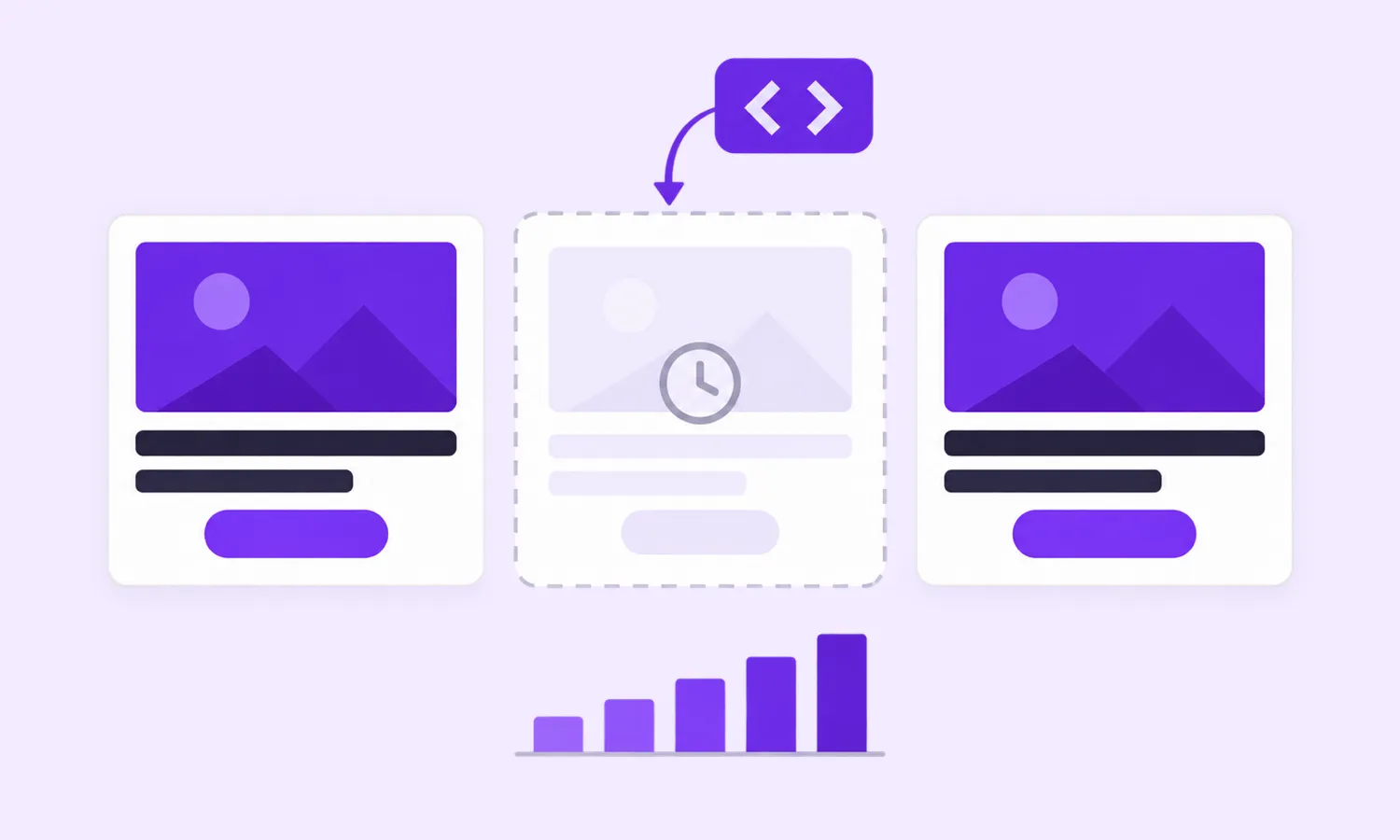
A fallback is a second tag that runs only when the first one had nothing to show. The first network is asked, it passes, and instead of stopping there the slot is offered to the next one. Ad servers call this a waterfall, and if you run Google Ad Manager you may already have one, with line items in priority order and a passback creative at the bottom.
Most sites do not run an ad server. They paste a tag from a network into a container and that is the whole setup. For those sites a fallback has to live inside the tag itself. The tag asks its own demand, and if the answer is no, it runs the code you gave it for that case. Same slot, same page view, second network.
Two details decide whether that works in practice. The fallback has to know the size of the slot, because the second network needs to be asked for an ad that fits the space, not an ad that fits the page. And the first tag has to genuinely let go. If it comes back thirty seconds later with a refresh and renders over the fallback, you have two ads in one container and a policy problem with whichever network noticed.
Why this matters more for a second network than a first
Nobody worries about fill on the network they have run for years. The worry starts when adding another one.
The case for a second network is simple. Different networks have different advertisers, and an impression one passes on is often one another would pay for. More bidders on the same request means a higher price when they compete and a higher chance that someone wants it when they do not. That is the whole argument for header bidding, and it applies just as well to a site with two tags as to one with twelve.
The case against is the fear that the new network takes a slot and then leaves it empty. A network that fills 70% of your requests with no fallback does not add 70%. It replaces whatever that slot was earning with 70% of its own fill and 30% of nothing, and the 30% is the part you see, because it is the blank rectangle in the middle of the article. So the sensible publisher keeps the slot with the network they trust, and the question of whether the new network would have paid more never gets answered.
A fallback removes the fear without settling the question. The new network is asked first. When it has an ad, that ad serves. When it has not, your old network’s code runs in the same slot, and you are exactly where you were before. Your floor is what you already had. Everything the new network fills sits on top.
How we built it into PurpleAds
We sell ad inventory, so we would rather your slot showed one of our ads. That does not change the fact that we pass on requests like everyone else, and a slot we leave blank costs you money and costs us a publisher. So the banner fallback is now part of the ad unit itself.
In the publisher dashboard, on the Responsive Display Banner ad unit, there is a Banner Fallback setting. You turn it on and paste the ad code from AdSense, or from any other network, and save. Nothing on your pages changes. When one of your banners goes unfilled, that code is placed inside the banner’s container.
The size is handled for you. When our tag measures a container it works out which standard banner sizes fit it, and that is how we choose our own ad. The fallback gets the same list. For AdSense we ask for a fixed-size ad at exactly those dimensions, which Google’s documentation on responsive ad code allows, so a responsive unit cannot decide on a taller ad and shove your content down. For other networks, you write {width} and {height} in the code where the size goes and we fill in the numbers per slot.
The letting go is handled too. Once your fallback has a banner, that banner is yours for the rest of the page view. Our refresh skips it. If our own ad request answers late, after the fallback already ran, the late ad is dropped rather than rendered on top. The fallback runs when our server says it has nothing. It also runs when our request does not answer within 8 seconds, so a slow response from us shows up on your site as your AdSense ad and not as whitespace.
If you would rather decide in code, a one-function callback gives your page the container, the sizes that fit it and the reason the slot went unfilled. The help article has the payload and an AdSense example.
What it does not do
A few limits worth knowing before you turn it on.
It applies to in-page banners only. The floating banner, the mobile interstitial and the automatic sticky ads are placed by us in containers you never wrote, so there is nothing of yours to fall back to. Video has its own events, covered in the same help article, but not a fallback.
It runs once per banner per page view. A slot handed to AdSense stays with AdSense until the next page load. That is the price of never rendering two ads in one container, and we think it is the right one.
A full outage on our side is only partly covered. The saved code reaches the browser with your site settings, and those are kept for a few minutes. A visitor who loaded them recently gets your fallback, one who did not gets nothing until we are back. If that case matters to you, use the callback: it lives on your page and runs whether or not our servers answer.
It is also off when our banner is served through a Google Ad Manager creative. AdSense code does not belong inside another ad server’s creative, and Ad Manager has its own AdSense backfill for exactly this.
And it does not fix a site that no network wants to buy. If your fill is low on every network you have tried, the fallback moves the same unfilled requests from one column to another. The ads.txt guide and the publisher metrics post are where to start on that.
Both directions
There is one more piece, and it is the reason we think a site running AdSense should run PurpleAds beside it rather than instead of it. Our tag can also detect AdSense units that rendered empty and fill those, which is the AdSense unfilled recovery product that has been around for a while. Put the two together and each network covers the other’s gaps. AdSense passes, we fill. We pass, AdSense fills. The visitor sees an ad in either case, and the only requests that earn nothing are the ones neither of us wanted.
That is the setup we would pick for our own site. Nothing replaced, one network added, and the floor exactly where it was.