The Types of Display Ads, and Which Ones Publishers Should Run in 2026
A display ad is any visual ad shown on a web page or in an app, as opposed to a search result or a social post. For a publisher, the useful way to sort them isn’t by what the ad contains but by where it sits and how it behaves, because that decides what it earns and what it costs you in reader patience.
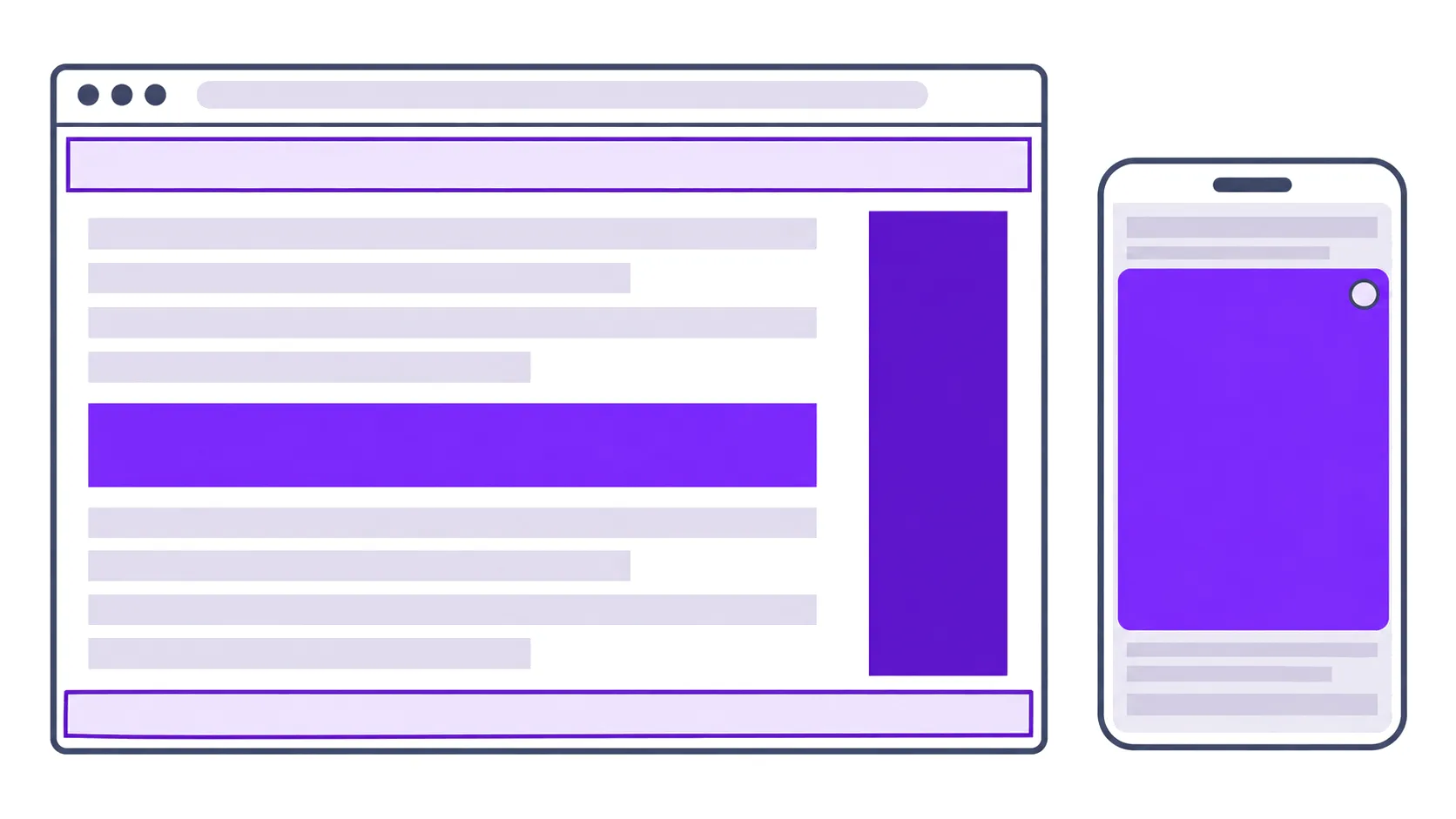
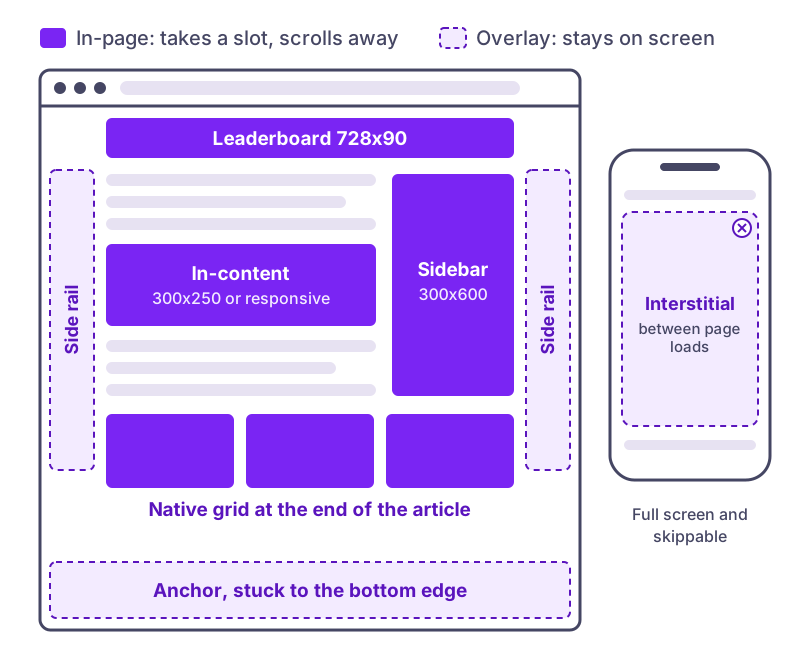
There are two groups. In-page ads take a slot in your layout and scroll away with the content. Overlay ads sit on top of the page, stuck to an edge or covering the screen. Most sites need a few of the first kind and at most one or two of the second.
In-page formats
Standard banners
The fixed-size image ads that started online advertising and still make up most display inventory. Advertisers build creatives for standard sizes, so a slot in one of those sizes gets more bids than an unusual one. The ones worth having are the 300x250 medium rectangle, which fits in content and sidebars, the 728x90 leaderboard for desktop headers, the 300x600 half page for sidebars and the 320x50 mobile banner. Our guide to banner ad sizes goes through which sizes get the most demand.
Where they go: between paragraphs, in the sidebar, under the header. The in-content slot is the one that sits where the reader is already looking.
Responsive display ads
Instead of a fixed size, the ad fills whatever container you give it, and the network assembles or picks a creative to fit. This is what most sites should use now, since one ad unit covers desktop, tablet and phone without separate code for each. Both AdSense and PurpleAds offer them, and our responsive banner setup guide shows how ours is placed.
The trade-off is layout shift. A responsive slot with no reserved height pushes your text down when the ad loads. Give the container a minimum height.
Native ads
Ads styled to match the surrounding content: a thumbnail, a headline and a source name, often in a grid of several under an article. Google calls its version of the grid Multiplex. Native ads work because they look like reading recommendations, which is also their risk: if the “Sponsored” label is small, readers feel tricked, and that damages trust in the site rather than the advertiser.
Where they go: at the end of articles, where the reader has finished and is looking for something next.
Video ads in content
A video player in an ad slot or between paragraphs, usually muted until the visitor taps it. It can earn more per impression than a banner, and it always costs more in page weight. Since 2024 Google and the IAB classify these as “standalone” or “accompanying content” placements rather than instream, which matters for how buyers price them. Our video ad networks guide covers the definitions and the vendors.
Overlay formats
Anchor ads
A banner stuck to the top or bottom edge of the screen that stays while the reader scrolls. Google’s description of its own anchor ads says they are “easily dismissible”, and that should be the standard for any anchor you run.
Side rails
Tall ads that stick to the left and right edges of wide desktop screens, in the empty space outside the content column. They only appear on screens with room for them, so they add revenue on desktop without touching the reading area. AdSense includes them in Auto ads, and PurpleAds’ automatic sticky ads use the left, right and bottom edges.
Interstitials
Full-screen ads. The distinction that matters is when they appear. AdSense’s vignette ads show “between page loads”, when a reader clicks to another page on your site, and can be skipped at any time. An interstitial that covers the page before the content loads is a prestitial, and that is one of the formats the Coalition for Better Ads fails on mobile.
Between-page interstitials get attention because the ad has the whole screen. They also interrupt the moment someone decides to read more of your site, so frequency matters. Start with a long gap between them and shorten it only if pages per session hold.
In-page push
A small card that slides into a corner of the page and looks like a notification. It reaches every visitor without the opt-in that real push notifications need, and it rotates while the reader stays on the page. Our in-page push guide covers how it works and the Google policy that applies to it, since ads resembling notifications can count as “fake messages” if the creative imitates a system alert or chat.
Pop-ups and pop-unders
A pop-up opens on top of the page; a pop-under opens a window behind it. Pop-up ads fail the Better Ads Standards on both desktop and mobile. Pop-unders are what several performance networks still sell, and they earn from traffic that nothing else monetizes, but a window the reader never asked for is a poor trade for a site that depends on people coming back. Treat them as a last option, not a starting point.
The limits that apply to all of them
The Better Ads Standards set the lines most sites should work within, and Chrome enforces them through the Ad Experience Report in Search Console. The ones that catch publishers most often:
- Ad density above 30% of the page on mobile, or 50% on desktop.
- Sticky ads covering more than 30% of a mobile screen.
- Pop-ups, and prestitial ads before content loads on mobile.
- Auto-playing video with sound.
Density is the one that sneaks up on sites, because each unit is added separately and nobody measures the total. Scroll a long article on a phone and estimate how much of what you see is ad. If it’s close to a third, you’re at the line.
A sensible starting set
For most content sites, this covers the value without hurting the reading experience:
- A responsive in-content ad after the first few paragraphs and every several paragraphs after that.
- A native grid at the end of articles.
- A bottom anchor on mobile.
- Side rails on desktop.
Add one overlay format beyond that, such as in-page push or a between-page interstitial, and measure it on its own for a few weeks. Compare revenue per session and pages per session before and after. If the new format raises the first and holds the second, keep it.
If you run AdSense already, the formats above don’t have to come from one network. Our AdSense unfilled recovery runs PurpleAds in the slots AdSense leaves empty, and our ad networks comparison covers who else takes sites at each traffic level.